What Is a CVV Number? CVV Meaning and Safety Guide
You are about to pay for something online. After entering your card number and expiry date, the checkout page asks for a CVV. You might wonder what that number means, where to find it, and whether sharing it with an online store is safe.
The CVV is an important security feature found on many credit and debit cards. Although it contains only a few digits, it helps payment providers verify card details during certain transactions.
Understanding how it works can help you complete online purchases confidently while protecting your banking information.
What Is a CVV Number?
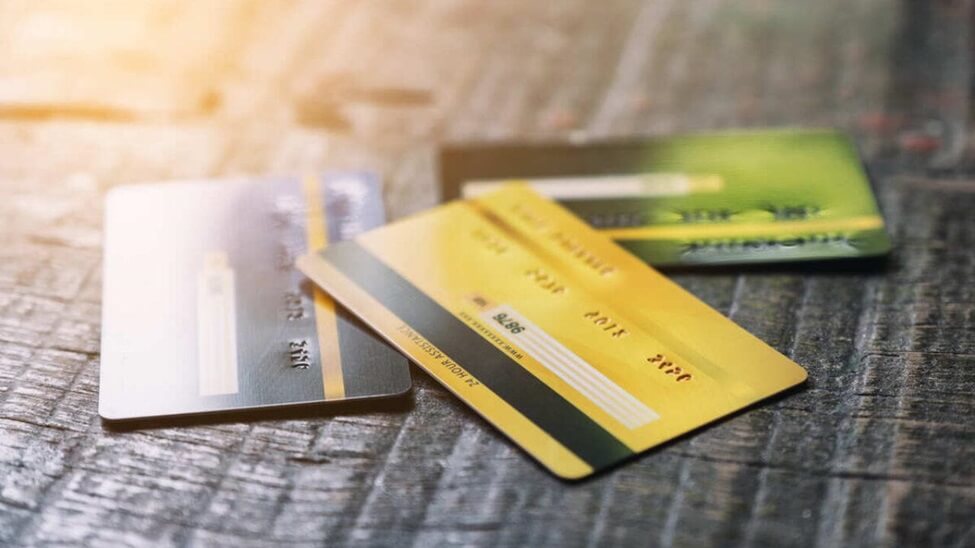
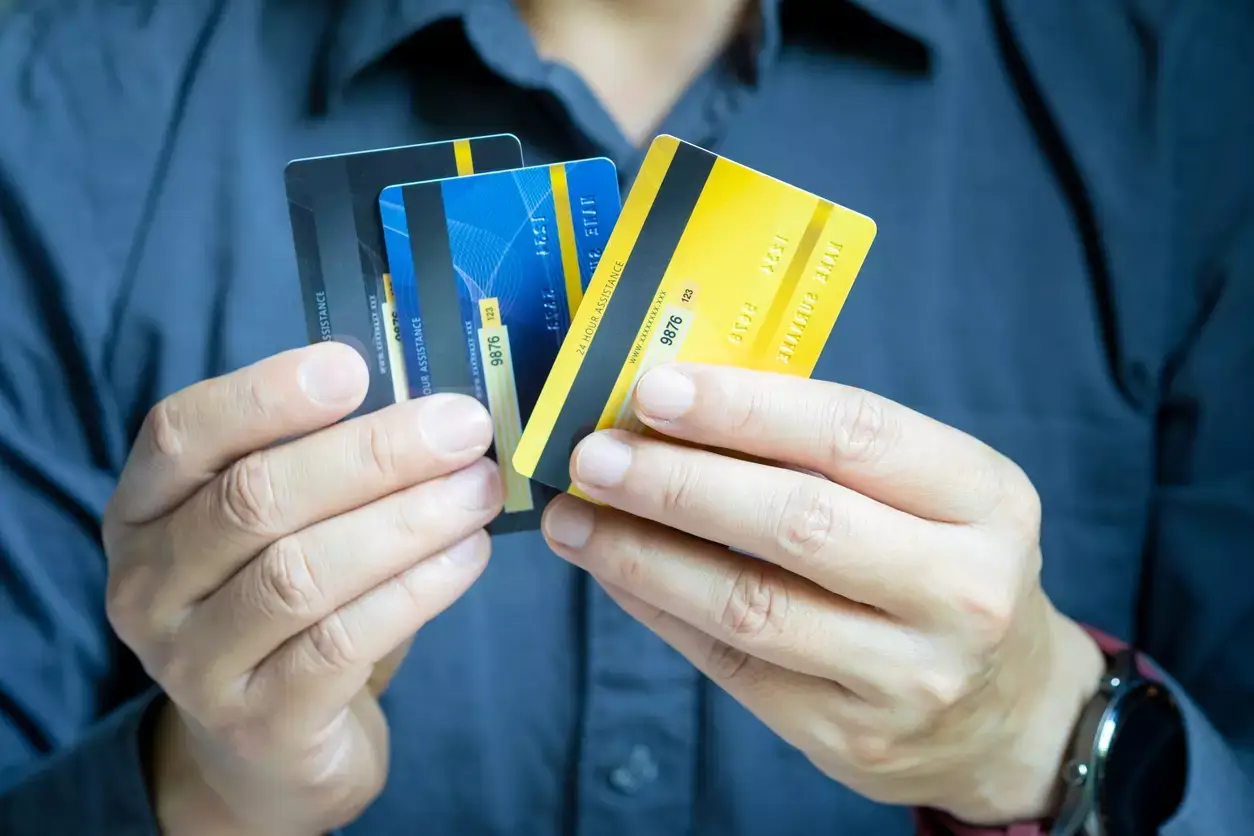
A CVV number (Card Verification Value) is a three- or four-digit security code associated with a credit or debit card. It helps verify card details during online or telephone payments when the physical card is not presented to a merchant. Most Visa and Mastercard cards have a three-digit code, while American Express cards generally have four digits.
The CVV is separate from your card number, expiration date, and Personal Identification Number (PIN).
For example, when you purchase something from an online retailer, the checkout page may ask you to enter your card number, expiry date, and CVV. This extra information helps the payment processor and card issuer assess the transaction.
A CVV is sometimes described as a card security code or card verification code. These terms refer to closely related security features, although the official terminology differs between card networks.
What Does CVV Mean on a Credit or Debit Card?
CVV stands for Card Verification Value.
The term describes a security value that can be checked during payment authorization. Its purpose is to provide additional confidence that someone making a remote payment has access to the card’s security details.
A CVV can be found on many types of payment cards, including:
- Credit cards
- Debit cards
- Prepaid cards
- Certain virtual payment cards
Different card networks use different names for their verification codes.
Visa commonly uses CVV2, Mastercard uses CVC2, and American Express may use CID or other card security terminology.
Despite the different names, these codes serve a similar purpose during card-not-present transactions.
Is CVV the Same as CVC?
For everyday online shopping, CVV and CVC usually refer to the same type of security information.
CVV means Card Verification Value, while CVC refers to Card Validation Code.
The exact term depends on the payment network and the type of verification being performed.
You may also encounter abbreviations such as CSC, CID, CVN, or CAV2.
Most consumers do not need to understand every technical distinction. If a legitimate payment form asks for a CVV or CVC, it generally means the security code associated with your card.
Where Is the CVV Number on a Card?
The location of a CVV depends mainly on the card network and the card’s design.
On most Visa and Mastercard cards, it appears on the back. On many American Express cards, it appears on the front.
The code is generally printed rather than embossed in raised characters.
Where Is the CVV on a Visa Card?
Most Visa cards have a three-digit CVV located on the back of the card, near the signature panel.
Some cards display additional digits in the same area. In those cases, the CVV is usually the separate three-digit security code.
Visa refers to this printed security value as CVV2.
Where Is the CVV on a Mastercard?
Most Mastercard credit and debit cards have a three-digit code on the back, usually near the signature strip.
Mastercard commonly calls this code CVC2.
Although its name differs from Visa’s CVV2, it performs a comparable verification function.
Where Is the CVV on an American Express Card?
American Express cards generally use a four-digit card security code printed on the front of the card.
It is commonly positioned above the main card number.
Because this arrangement differs from Visa and Mastercard, users should check the card’s front carefully rather than assuming the code will appear on the back.
CVV Location by Card Network
| Card network | Typical code length | Common location |
|---|---|---|
| Visa | 3 digits | Back, near the signature panel |
| Mastercard | 3 digits | Back, near the signature panel |
| American Express | 4 digits | Front, above the card number |
| Discover | 3 digits | Back of the card |
| JCB | Usually 3 digits | Back of the card |
Card designs can vary. If your security code is not visible in its usual position, consult your card issuer’s official guidance.
Why Is a CVV Number Important?
A CVV adds another verification check to certain card payments.
A card number and expiry date may sometimes be exposed through stolen records or fraudulent activity. Requiring the CVV introduces another piece of information that a person attempting a payment may not possess.
The code is particularly relevant when a merchant cannot physically inspect the payment card.
For example, consider someone making a purchase through an online store.
The store cannot see the card itself. Instead, its payment system collects the required details and sends a transaction request through the payment-processing network.
When a CVV is provided, the card issuer or an authorized verification service can check whether it matches the expected value.
However, CVV verification is not a complete guarantee against unauthorized transactions.
Criminals may obtain multiple card details through phishing, compromised websites, or other fraud. For this reason, banks combine card verification with additional security measures.
How Does a CVV Work During Online Payments?
A CVV is commonly used during what the payment industry calls a card-not-present transaction.
This means the card is not physically presented to a merchant or payment terminal.
The process generally works as follows.
Step 1: You Enter Your Payment Details
During checkout, you may be asked for your card number, expiry date, cardholder name, and CVV.
The exact fields depend on the merchant and payment method.
Step 2: The Payment Information Is Processed
The merchant’s payment gateway or processor securely handles the payment information and sends the required details through the payment network.
Step 3: The CVV Is Checked
The card issuer or an authorized verification service may compare the submitted security code with the expected value.
A mismatch can raise concerns about the transaction.
Step 4: The Bank Makes an Authorization Decision
The card issuer evaluates the transaction using available information.
That may include the card’s status, available funds or credit, transaction characteristics, and additional security checks.
A correct CVV does not automatically guarantee payment approval.
Step 5: Additional Authentication May Be Required
Some transactions require another verification step, such as approval through a banking application or a one-time password.
This is especially familiar to customers using cards issued by UAE banks.
The additional step helps establish whether the person authorizing the transaction is the legitimate account holder.
CVV vs. PIN vs. OTP: What Is the Difference?
CVV, PIN, and OTP are different security credentials, even though all three may be associated with banking transactions.
Understanding their roles helps prevent confusion and reduces the risk of revealing sensitive information to fraudsters.
| Feature | CVV | PIN | OTP |
|---|---|---|---|
| Full meaning | Card Verification Value | Personal Identification Number | One-Time Password |
| Typical format | 3 or 4 digits | Usually a short numeric code | Temporary numeric or alphanumeric code |
| Primary purpose | Additional card verification | Authenticate certain cardholder actions | Authenticate a specific action or session |
| Common use | Online and telephone card payments | ATMs and some in-person payments | Online transactions and account verification |
| Printed on physical card | Often | No | No |
| Changes automatically | Usually fixed for a physical card | Usually remains until changed | Changes for each issued code |
Is a CVV the Same as an ATM PIN?
No. A CVV and an ATM PIN serve different purposes.
An ATM PIN is a confidential number used to authorize certain card transactions, such as withdrawing cash.
A CVV is a security value associated with the payment card and is commonly requested during online purchases.
You should never enter your ATM PIN into a website field asking for a CVV.
Is a CVV the Same as an OTP?
No. A CVV is generally associated with a specific payment card, while an OTP is generated for a particular verification event.
For example, an online purchase may initially require your CVV. Your bank might then send an OTP or request approval through its mobile application.
These are separate security steps.
Never disclose an OTP to someone who contacts you by telephone, WhatsApp, SMS, or email claiming to represent your bank.
Is It Safe to Enter Your CVV Online?
Entering your CVV into a legitimate, secure payment form is a normal part of many online transactions.
However, the safety of a payment depends on more than the presence of a CVV field.
A fraudulent website can imitate a legitimate retailer and collect payment details from unsuspecting customers.
Before entering your card information, check that the website belongs to the retailer you intended to visit.
Look carefully at its domain name, payment page, and overall credibility.
A secure HTTPS connection is important because it protects information in transit, but HTTPS alone does not prove that a website is trustworthy.
For example, a phishing website can also have a valid HTTPS certificate.
When Should You Never Share Your CVV?
Be particularly cautious when someone requests the code outside a payment process you initiated.
Warning signs include unexpected telephone calls, WhatsApp messages, suspicious links, and requests supposedly made by bank employees.
Fraudsters sometimes pretend that they need your CVV to unblock an account, reverse a transaction, or process a refund.
Such requests should be treated as suspicious.
For customers in the UAE, this is especially relevant because fraudsters may impersonate banks, delivery companies, telecommunications providers, or government organizations.
A genuine bank representative should not require you to disclose your CVV during an unsolicited conversation.
Can Someone Use Your Card With Only the CVV Number?
A CVV alone is generally insufficient to complete a standard card payment.
Most conventional online card transactions require additional details, such as the card number and expiry date.
However, this does not mean that exposing your CVV is harmless.
If someone already possesses your other card details, obtaining the security code may increase the risk of unauthorized use.
Not every online transaction requires CVV verification, and not every payment involves the same authentication process.
The safest approach is to treat the CVV as confidential financial information.
Avoid sending it through ordinary messages, sharing it with strangers, or saving it in publicly accessible documents.
What Happens If Someone Knows Your CVV?
The potential consequences depend on what other information has been exposed.
If only the CVV is known, an unauthorized payment may still be difficult to complete.
If the person also has your card number, expiry date, and other necessary details, the risk is more serious.
Some transactions require additional authentication, but these safeguards are not universal.
If you accidentally share your CVV with a suspicious person or website, contact your bank using its official application or verified telephone number.
Your bank can assess the situation and advise whether the card should be frozen, blocked, or replaced.
You should also review recent transactions and enable account notifications where available.
If you notice an unauthorized payment, report it promptly and follow the bank’s dispute procedure.
What If Your Card Has No Visible CVV?
Not every card has its security information printed in the same location.
Some modern cards use minimalist designs that display fewer details on the physical card.
In other cases, the printed code may have faded because of everyday wear.
If you cannot find your CVV, first check both sides of the card.
Then review your bank’s official mobile application to see whether it provides a secure card-details feature.
Some banks allow eligible customers to view their card information after signing in and completing authentication.
If the CVV remains unavailable, contact the card issuer.
Do not attempt to guess the security code repeatedly.
Repeated incorrect entries may cause payment failures or trigger additional security checks.
Can You Find Your CVV Without Your Physical Card?
Sometimes, depending on the bank.
Certain card issuers provide a secure way to view card details through their mobile banking applications.
Others require you to use the physical card or request a replacement when its security code is unreadable.
There is no universal method for retrieving a CVV using only a card number.
You should not use websites or tools claiming to calculate or reveal a physical card’s CVV.
Do Debit Cards and Credit Cards Have Different CVV Numbers?
Debit and credit cards generally use the same type of card security code.
The main difference between the products concerns where the money comes from.
A debit card usually draws funds directly from a linked bank account.
A credit card allows eligible purchases against a credit facility, subject to the issuer’s terms.
Despite that difference, both may require a CVV for certain online transactions.
For example, a customer paying for groceries with a debit card and another customer paying for an airline ticket with a credit card may both encounter a CVV field during checkout.
The code’s verification role is broadly similar in each situation.
Do Virtual Cards and Digital Wallets Have a CVV?
Many virtual cards have a security code, but it may appear only within the issuing bank’s application.
A virtual card typically exists as digital card credentials rather than a traditional physical payment card.
Depending on the issuer, those details may include a card number, expiry date, and CVV.
Some virtual-card products use dynamic security codes that change periodically.
These features depend on the issuing bank and should not be assumed to apply to every virtual card.
Digital wallets, including Apple Pay and Google Pay, work differently.
They commonly use tokenization, which substitutes payment credentials with payment tokens.
Consequently, a wallet transaction may be completed without the shopper manually entering the physical card’s CVV.
Will CVV Numbers Disappear in the Future?
Payment authentication continues to evolve.
Tokenization, biometric authentication, banking-app approvals, and other digital security technologies are reducing the need to enter card details manually in certain situations.
However, the traditional CVV remains relevant because many websites and payment systems still accept manually entered card information.
Future payment experiences are likely to involve a mixture of conventional card verification and newer authentication methods.
The pace of change will depend on banks, payment networks, merchants, and customer adoption.
Can Online Stores Save Your CVV Number?
A merchant may request a CVV when it is needed to authorize a card-not-present payment.
However, businesses subject to the Payment Card Industry Data Security Standard (PCI DSS) are prohibited from retaining card verification codes after authorization, even when the information is encrypted.
This requirement is intended to reduce the damage that could result from a payment-data breach.
There is an important distinction between storing permitted card credentials and storing the CVV.
For example, an online shopping platform may offer to save eligible card details for future purchases through an appropriately secured payment service.
That does not mean it can retain the CVV for subsequent transactions.
Why Do Some Websites Ask for CVV Every Time?
A merchant may request the CVV again when you make a new purchase because it has not retained the previous code.
The requirement can also depend on the payment processor, the transaction type, and the merchant’s security procedures.
Other services may process eligible returning-customer or subscription payments without asking for the CVV again.
That does not necessarily mean those services are less secure.
Recurring payments can use authorized stored-credential arrangements and other payment controls.
Common CVV Mistakes to Avoid
Many payment problems arise from confusing the security code with other numbers or entering it in the wrong place.
One common mistake is entering the last three digits of the main card number instead of the separate security code.
Another is assuming that every card has a three-digit CVV. American Express cards generally use four digits.
Customers also sometimes enter their ATM PIN into the CVV field, which is incorrect.
Other avoidable mistakes include providing a CVV through unsolicited messages, using suspicious payment links, and sharing photographs that expose all the details of a card.
Even when you trust a retailer, avoid photographing or sending your entire card unless a legitimate, secure process specifically requires an appropriate document and you have verified the request.
A cautious approach to card information is more effective than relying on a single security feature.
How to Protect Your CVV and Card Details in the UAE
People in Dubai, Abu Dhabi, Sharjah, and other parts of the UAE frequently use cards for shopping, travel bookings, subscriptions, and digital services.
Whether you hold a Visa, Mastercard, or American Express card, protecting its details should be part of your everyday payment habits.
Follow these practical precautions:
- Use trusted payment pages. Enter card details only when you have verified the website or application’s legitimacy.
- Keep banking information private. Do not disclose your CVV, PIN, or OTP to unsolicited callers or messages.
- Enable transaction notifications. Alerts can help you identify unfamiliar activity quickly.
- Review payment requests carefully. Check the merchant name and amount before approving a transaction.
- Use available card controls. Many banking applications offer options to freeze a card or manage online spending.
- Report suspicious activity promptly. Contact your bank through its official support channels if information may have been compromised.
UAE residents should be particularly cautious about messages claiming that a bank account, Emirates ID, delivery, or government service requires urgent payment-card verification.
Fraudsters often use pressure and urgency to discourage careful checking.
If you receive such a request, contact the organization independently through its official website or application rather than following the message’s instructions.
FAQs
1. What is the full meaning of CVV?
CVV stands for Card Verification Value. It is a security value associated with a credit or debit card and is commonly used for additional verification during online or telephone payments.
2. Where can I find my CVV number?
On most Visa, Mastercard, and Discover cards, the three-digit CVV is on the back near the signature panel. On many American Express cards, the four-digit security code appears on the front.
3. Is a CVV always three digits?
No. Visa, Mastercard, and Discover typically use three-digit printed security codes, while American Express generally uses a four-digit code.
4. Is a CVV number the same as a PIN?
No. A CVV is used for additional card verification, mainly in remote payments. A PIN is a confidential number used to authorize certain card transactions, such as ATM withdrawals.
5. Can I pay online without a CVV?
Yes, certain transactions can be completed without manually entering a CVV. This may occur with digital wallets, eligible stored-card payments, subscriptions, or other payment methods that use alternative verification procedures.
6. Can I change my CVV number?
A physical card’s printed CVV generally cannot be changed independently. A replacement card normally has new security details. Certain virtual-card products may support automatically changing security codes.
7. Why is my CVV not working?
Possible reasons include entering the wrong digits, confusing the CVV with another number, an expired or replaced card, or a problem with the payment authorization process. Check your card details and contact your bank if necessary.
8. Can someone steal money using my CVV?
A CVV alone is generally not enough for a conventional online payment. However, it can increase the risk of unauthorized transactions when combined with other compromised card details.
9. Is it safe to give my CVV to a customer service representative?
Do not disclose your CVV to someone who unexpectedly contacts you claiming to represent a bank or merchant. A legitimate payment process may require a card security code, but you should verify the organization and use its authorized payment channel.
10. Do virtual debit cards have CVV numbers?
Many virtual debit cards have CVV or equivalent security details that can be viewed through the issuing bank’s application. Availability and functionality depend on the card provider.
11. Why does a website ask for a CVV if my card is already saved?
A merchant may request the CVV again as an additional verification step. Payment-security rules generally prohibit merchants from storing the CVV after a transaction has been authorized.
12. Does a CVV expire?
A CVV is associated with its card credentials. When a physical card expires and is replaced, the replacement generally has a new security code. Dynamic codes on some virtual cards may change more frequently.
Conclusion
A CVV number is a small but important part of payment-card security. It provides an additional verification check when you make certain online or telephone purchases using a credit or debit card.
Most Visa and Mastercard cards have a three-digit code on the back, while American Express cards typically display a four-digit code on the front.
Although a CVV can help reduce some forms of payment fraud, it cannot guarantee that every transaction is legitimate. Secure payment systems also depend on authentication procedures, bank monitoring, and responsible cardholder behavior.
The most important precaution is simple: use your CVV only through verified payment channels, keep it confidential, and contact your bank immediately if you believe your card information has been compromised.

Sara is a UAE-based banking and accounting expert with over 4 years of professional experience in the financial sector. Her expertise spans retail banking, financial reporting, compliance, and practical money management topics relevant to individuals and businesses in the UAE.
She contributes clear, accurate, and well-researched financial content, simplifying complex banking and accounting concepts for everyday readers. Sara’s writing reflects strong industry knowledge, regulatory awareness, and a commitment to financial accuracy and transparency.