HSBC UAE Online Banking Guide: Registration, Login, Features and Security (2026)
Banking from your sofa, your car or another country used to mean juggling a card reader, a password and a bit of luck. In the UAE, that picture has changed quickly. HSBC UAE online banking now runs on a simple idea: your phone is your key. Since July 2026, you need the HSBC UAE app to log on to the website, and the old routine of codes and tokens has given way to app approvals and QR codes.
This guide explains how HSBC UAE online banking works today. You will learn how to register, log in, what you can do once youare in, how to fix the most common problems, and how to keep your money safe. Everything below reflects HSBC UAE’s own pages as of October 2026, plus the wider Central Bank of the UAE push toward app-based security.
How Does HSBC UAE Online Banking Work?
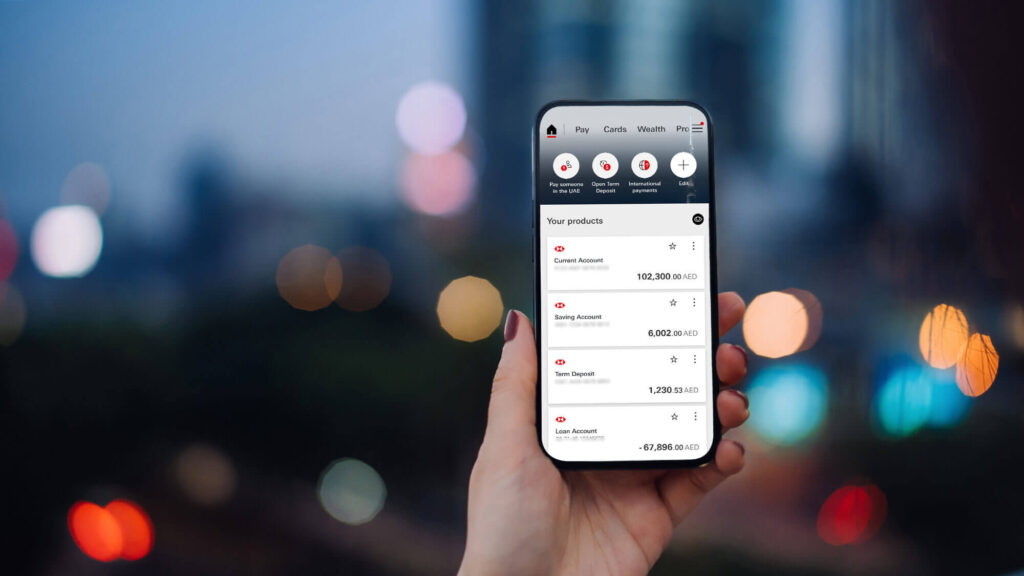
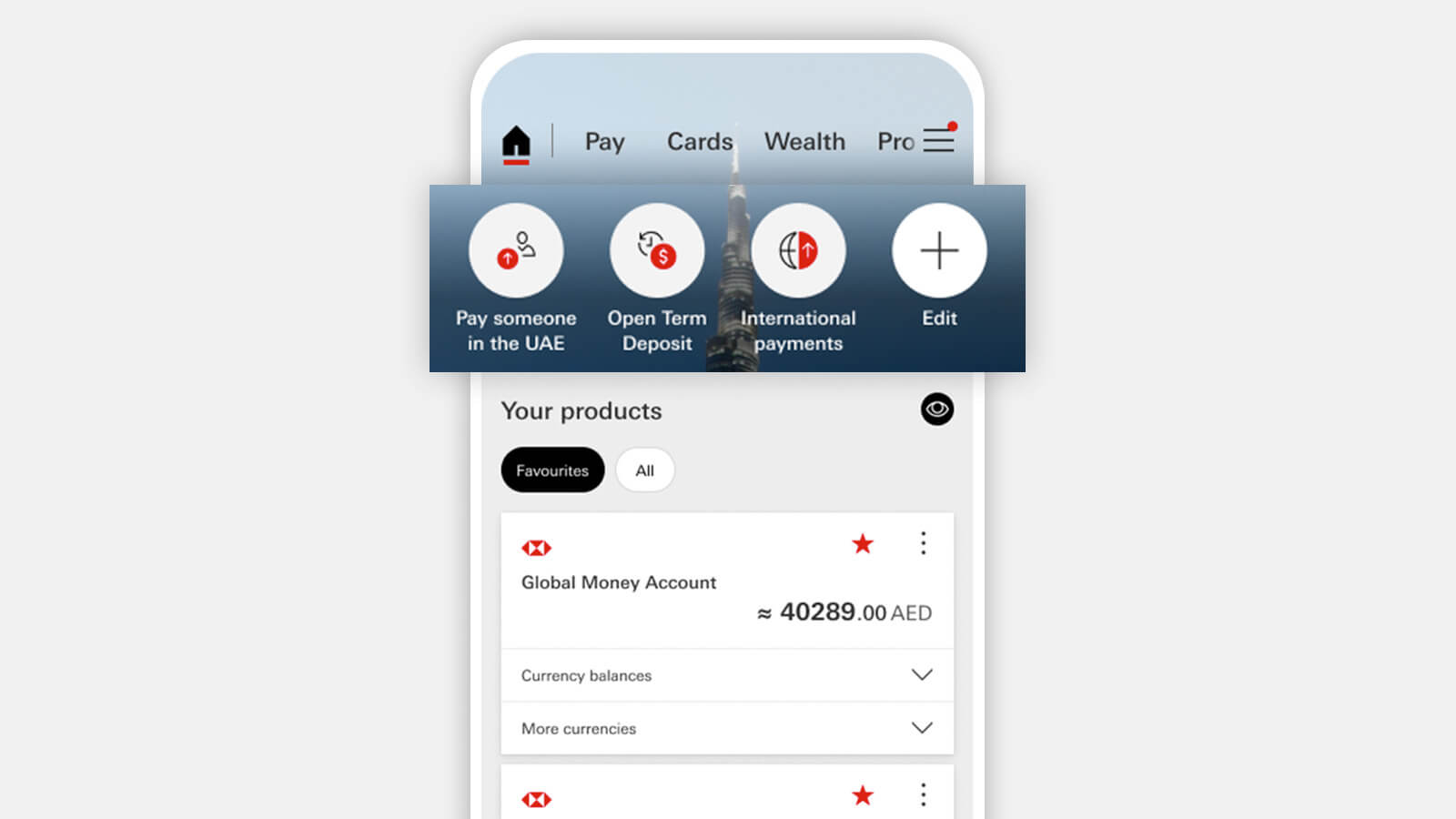
HSBC UAE online banking lets customers manage accounts, pay bills, and transfer money 24/7. Since July 2026, you log on with your customer, credit card or debit card number and date of birth, then approve the request in the HSBC UAE app and scan the QR code shown on screen.
What Is HSBC UAE Online Banking?
HSBC UAE online banking is the web-based side of the bank’s digital service for personal customers. It sits alongside the HSBC UAE mobile banking app, and the two work as a pair. HSBC Bank Middle East Limited, UAE Branch, provides the service and is regulated by the Central Bank of the UAE. The bank says it has more than 70 years of experience in the country.
On a laptop or desktop, online banking gives you a bigger screen for jobs that need attention: reviewing transactions, setting up payees, downloading statements, or applying for a product. On your phone, the app handles quick tasks and also acts as the security device that unlocks the website.
One point is worth making early. This guide covers personal online banking. HSBC runs business banking through a separate website, so business customers should start there instead. If you run a company, our guide to the HSBC business account explains the account side of that relationship.
What Changed in July 2026
The biggest recent change is simple to state and easy to miss. In July 2026, HSBC UAE introduced new identity features and log on options, and it now requires the HSBC UAE app to log on to online banking. Authentication for online banking is handled through the app or other approved digital channels.
This did not happen in isolation. The Central Bank of the UAE directed banks to phase out one-time passwords sent by SMS and email. Reports on the directive say the phase-out began on 25 July 2025, with a full discontinuation due by March 2026. The reasoning is straightforward: text messages can be intercepted, and customers can be tricked into typing codes into fake websites. An approval that happens inside a secured app is harder to steal.
Other major UAE banks, including Emirates NBD, Mashreq, ADCB and First Abu Dhabi Bank, have been rolling out similar in-app approval features. So HSBC’s move fits a national pattern rather than a one-off policy.
For you as a customer, the practical meaning is this: if your HSBC UAE app is not installed and registered, you cannot use the full website.
Recommended: How to Check HSBC Bank Balance
What You Need Before You Start
Getting set up takes only a few minutes if you have the right items ready. You will need a smartphone that can run the HSBC UAE app, your Emirates ID or passport, and one of three numbers: your customer number, your credit card number or your debit card number. You will also be asked for your date of birth.
Many people are unsure where to find these numbers, so here is where they live.
| Detail | Where to find it |
|---|---|
| Customer number | Usually the first 9 digits of your primary sole account number. Joint account holders should contact HSBC for help. |
| Credit card number | On the back of the card or on your card statement |
| Debit card number | On the back of the card |
There is one limit to remember. At the time of writing, HSBC says you cannot use a Global Money Debit Card number to log on.
How to Register for HSBC UAE Online Banking
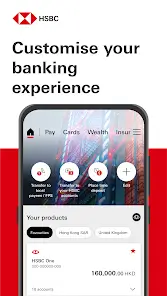
Registration now happens inside the app, not on the website. Once it is done, you are set up for both online and mobile banking. The steps follow a familiar digital onboarding pattern.
Step 1: Download the app. Get the HSBC UAE app from the App Store or Google Play. Make sure you are installing the official app from HSBC Bank Middle East.
Step 2: Confirm your details. Enter your customer number, credit card number or debit card number, along with your date of birth.
Step 3: Photograph your ID. Upload clear photos of the front and back of your Emirates ID or passport.
Step 4: Take a selfie. The bank uses it to check that the person on your ID is the person registering. It is a safety measure, not a formality.
Step 5: Create a PIN. Choose a memorable 6-digit PIN. You will use it to log on to the app and to generate security codes.
Good to Know Before You Register
You get five attempts to verify your identity during setup. If verification fails, you can try again after 24 hours, so it pays to prepare: use good lighting, keep the ID flat, and avoid glare.
Joint account holders each need to register separately, using their own customer details. One person registering does not cover the other.
If you are moving to a new phone, the same registration flow is used to set up the new device.
How to Log On to HSBC UAE Online Banking
Once you are registered, logging on to the website follows a clear four-step routine.
- Enter your customer number, credit card number or debit card number, and your date of birth.
- Open the HSBC UAE app and approve the log on request.
- Scan the QR code displayed on your screen to continue.
- You are in, and ready to bank.
The extra approval step may feel slower than a saved password at first. In reality it takes seconds, and it is the main reason your account is harder to break into.
Logging On to the Mobile App
The app itself offers three options: your 6-digit PIN, Face ID if your device supports it and you have enabled it, or fingerprint or Touch ID. You need to use the device you registered.
Online Banking vs the Mobile App
The two channels overlap, but each has strengths.
| Online banking (website) | HSBC UAE mobile app | |
|---|---|---|
| Best for | Longer tasks, reviewing history, bigger forms | Quick checks, approvals, banking on the move |
| Log on with | Customer, credit card or debit card number plus date of birth, then app approval and QR scan | 6-digit PIN, Face ID or fingerprint |
| App required? | Yes, since July 2026 | Yes |
| Extras | Order a chequebook, access the WorldTrader platform | Mobile chat, push notifications, in-app approval of online card payments |
What Can You Do in HSBC UAE Online Banking?
Once logged on, HSBC describes the service as a way to manage your personal banking 24 hours a day. In practice, the range is wide.
View Accounts and Search Transactions
You can see your local and global accounts in one place. The transaction search lets you quickly review the last four months of activity, which is handy for checking a charge or tracking a payment. You can also view or download statements.
Pay Bills and Set Up Payees
Bill payment is one of the most-used features, and the process is easy to learn. HSBC’s own walkthrough runs like this:
- Select Pay or transfer under Move Money, or from Quick links on the home page, then choose the account you want to pay from.
- Choose a saved utility payee, or pay a utility for the first time.
- If you are paying a saved payee, select it. You can also make several utility payments at once.
- Fill in every field not marked as optional, then continue.
- Review the details and select Confirm.
- Note the confirmation number, or print the page, for your records.
Practical tip: keep that confirmation number. If a utility provider says a payment never arrived, it is the fastest way to trace it.
Transfer Money Locally and Abroad
You can send money around the world securely, day or night. HSBC’s site separates domestic transfers, inward transfers and international transfers, and also lists Aani mobile payments among its money transfer options. Inside the mobile app, you can send money to over 200 countries and regions and move funds between your linked HSBC global accounts.
Because transfer fees and exchange rates vary by account type and destination, check HSBC’s current cost options page before sending a large amount abroad.
Manage Day-to-Day Banking Tasks
Beyond payments, the service covers a long list of practical jobs: managing direct debits and standing orders, uploading documents, reading and sending secure messages, updating your contact details, updating travel plans, ordering a chequebook, and opening new accounts in major currencies. You can also apply for new credit cards or borrowing products and reach the WorldTrader online trading platform.
Forgot or Want to Change Your PIN?
Forgetting a PIN is common, and the fix is built into the app.
To reset a forgotten PIN: agree to verify your identity through Emirates Facial Recognition, scan your Emirates ID or passport, record a video selfie, and then set a new 6-digit PIN.
To change a PIN you remember: log on with your current PIN, Face ID or fingerprint, select Manage Security, confirm your existing PIN, then set and confirm the new one.
Pick a PIN that is not a birth year, a phone number or a repeated digit. Those are the first combinations anyone would try.
Other Ways to Bank with HSBC UAE
Online banking is not the only door. HSBC also offers phone banking, with an automated service available 24 hours a day and advisers to help. The bank lists these numbers: Premier customers call 800 4320, while Advance and Personal Banking customers call 600 554722.
Other channels include free SMS alerts for transactions, mobile chat support in the app, LiveSign for signing documents digitally without a branch visit, and a network of branches across the UAE. Premier customers can also arrange virtual meetings with a relationship manager.
If you cannot use the app for any reason, HSBC says you can still get limited access to your account by contacting the bank by phone or visiting a branch.
Staying Safe: Security Tips and Common Mistakes
A secure design only works when customers use it well. Fraud in the region increasingly relies on persuading people to approve something themselves, so a few habits matter more than any technology.
Never approve a log on you did not start. If your app shows an approval request and you are not at a computer, decline it and contact the bank. A request you did not trigger is a warning sign.
Do not share your PIN, codes or app approvals with anyone. A caller who claims to be from the bank and asks you to read out a code or approve a request is a red flag, however convincing they sound.
Check where you are typing. Reach the login page from the official website, not from a link in a text message or email.
Keep the app updated. Updates carry security fixes, and HSBC has told customers to keep the app current to get the refreshed experience.
Lock your phone. Because the phone is now your key, a screen lock and biometrics protect your bank as much as your messages.
HSBC maintains fraud prevention and “stay safe online” pages on its UAE website, and they are worth a read, especially for family members who are new to digital banking.
Common Mistakes to Avoid
The most frequent problems are avoidable. People often use a Global Money Debit Card number to log on, which is currently not supported. Others photograph their ID in poor light and burn through their five verification attempts. Joint account holders sometimes assume one registration covers both people, when each must register. And some customers delete the app after registering, then find themselves locked out of the website.
Troubleshooting: Quick Fixes
| Problem | What to do |
|---|---|
| Identity verification failed in the app | You have five attempts. If they run out, try again after 24 hours. |
| Cannot log on to the website | Confirm the HSBC UAE app is installed, updated and registered on your current phone. |
| Debit card number not accepted | If it is a Global Money Debit Card, use your customer number or another card number instead. |
| Forgot your 6-digit PIN | Reset it in the app using Emirates Facial Recognition and a video selfie. |
| New phone | Use the registration flow to set up the new device. |
| Cannot use the app at all | Call phone banking or visit a branch for limited access. |
Pros and Cons of HSBC UAE Online Banking
Advantages. Access is available around the clock. Security is strong because every log on needs approval on your registered phone. The service spans local and global accounts, and international transfers are built in. Registration is done without a branch visit.
Disadvantages. The app requirement means you cannot use the website without a working smartphone. Registration needs a clear ID photo and selfie, which can frustrate some users. And a lost or replaced phone adds a re-registration step. For customers who prefer not to use apps, the limited phone and branch route is less convenient.
Where UAE Digital Banking Is Heading
The direction is clear. Regulators want fewer weak links, and banks are replacing text-message codes with in-app approval and biometrics. Expect more actions inside banking apps to require a quick biometric or app confirmation, and expect the website to behave increasingly like an extension of the phone.
HSBC UAE also lists AlTareq Open Finance among its help topics, which signals the broader open finance direction in the UAE. For customers, the likely result is smoother connections between banking services over time. The details are still evolving, so watch HSBC’s announcements.
Practical Tips for Getting the Most from Your Account
Set up the app before you need the website, not while you are in a hurry to pay a bill. Save your regular utility payees so payments take a few taps. Turn on SMS alerts so you see every transaction. Review your four months of transactions each month, which takes two minutes and catches mistakes early. And keep your contact details current, because the bank uses them to reach you when something looks wrong.
If your finances are growing more complex, it also helps to understand how banks see you. Our guide to checking your credit score in the UAE explains what lenders look at, and our explainer on the debt burden ratio shows why it affects loan approvals.
FAQs
1. How do I register for HSBC UAE online banking?
Download the HSBC UAE app, enter your customer, credit card or debit card number and date of birth, photograph your Emirates ID or passport, take a selfie, and create a 6-digit PIN. This sets you up for both online and mobile banking.
2. How do I log on to HSBC UAE online banking?
Enter your customer, credit card or debit card number and date of birth on the website. Approve the request in your HSBC UAE app, then scan the QR code shown on screen.
3. Do I need the app to use HSBC UAE online banking?
Yes. Since July 2026, the HSBC UAE app is needed to log on to online banking. If you cannot use the app, HSBC says you can get limited access by calling phone banking or visiting a branch.
4. Where do I find my HSBC UAE customer number?
It is usually the first 9 digits of your primary sole account number. For joint accounts, contact HSBC for help. You can also log on with your credit card or debit card number instead.
5. Can I log on with my Global Money Debit Card?
Not at present. HSBC states that Global Money Debit Card numbers cannot be used to log on to online banking, so use your customer number or another card number.
6. What if identity verification fails during registration?
You have five attempts. If they all fail, you can try again after 24 hours. Use good lighting and a clear photo of your Emirates ID or passport.
7. How do I reset a forgotten HSBC UAE PIN?
Open the app, agree to verify your identity through Emirates Facial Recognition, scan your ID, take a video selfie, and set a new 6-digit PIN.
8. Do joint account holders both need to register?
Yes. Each holder must register for digital banking using their own customer details.
9. How can I pay bills through HSBC UAE online banking?
Go to Pay or transfer, choose your account, pick a saved or new utility payee, enter the details, review, and confirm. Keep the confirmation number for your records.
10. How far back can I search transactions online?
HSBC’s online banking page says you can quickly review the last four months of transactions. You can also view or download statements.
11. Is HSBC UAE online banking safe?
It uses app-based approval for logging on, in line with the Central Bank of the UAE’s move away from SMS and email codes. Your own habits still matter: never share your PIN or approve a request you did not start.
12. Is online banking available for business accounts?
This guide covers personal banking. HSBC operates business banking on a separate website, so business customers should use that platform for their log on and setup.
Conclusion
HSBC UAE online banking has become an app-first service, and that is mostly good news. The process is clear: register in the HSBC UAE app with your ID and a selfie, log on to the website with your customer or card number, approve the request on your phone, and scan the QR code. Once inside, you can check transactions, pay bills, send money at home and abroad, and handle everyday admin without visiting a branch.
The trade-off is that your phone now matters more than your password. Protect it, keep the app updated, and treat any unexpected approval request as a warning. If you do that, HSBC UAE online banking offers a secure, flexible way to manage your money from anywhere.

Sara is a UAE-based banking and accounting expert with over 4 years of professional experience in the financial sector. Her expertise spans retail banking, financial reporting, compliance, and practical money management topics relevant to individuals and businesses in the UAE.
She contributes clear, accurate, and well-researched financial content, simplifying complex banking and accounting concepts for everyday readers. Sara’s writing reflects strong industry knowledge, regulatory awareness, and a commitment to financial accuracy and transparency.