
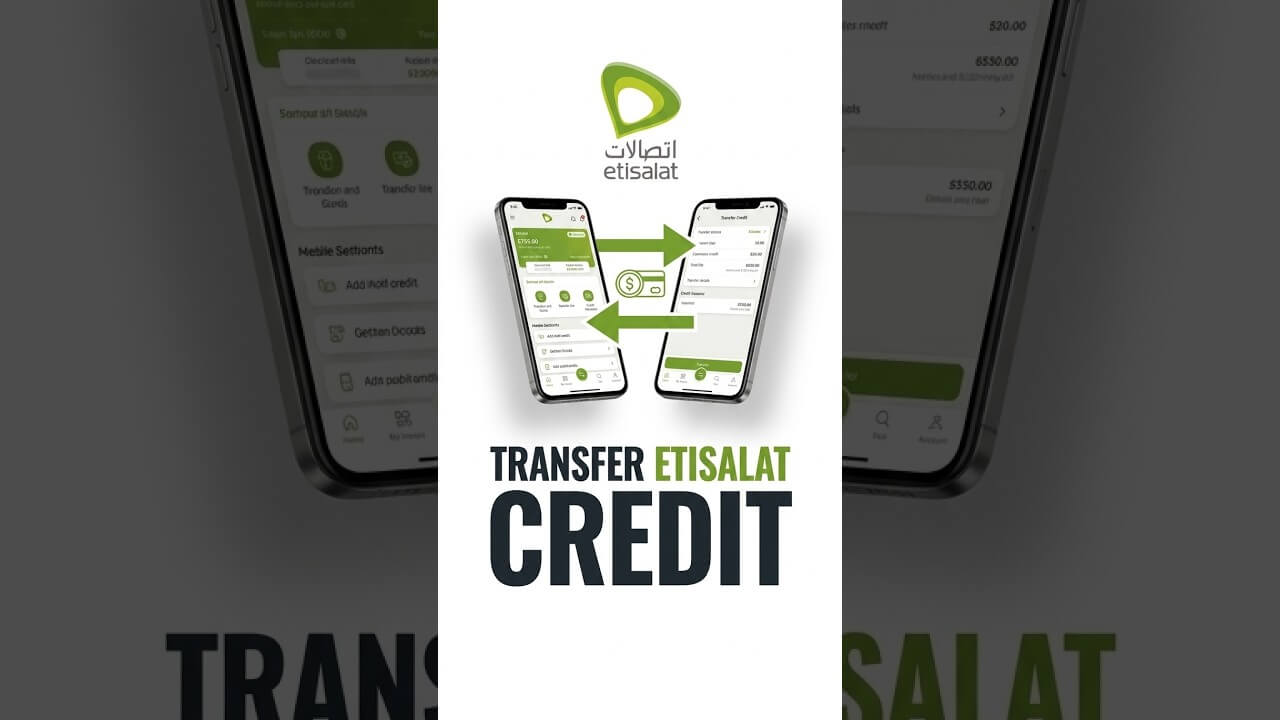
How to Transfer Etisalat Balance in UAE: Complete Guide
Running out of mobile credit when you need to make an important call can be frustrating. Fortunately, Etisalat, now known as e& UAE, allows customers to send mobile credit to friends and family without purchasing a recharge card or visiting a retail store.
If you are wondering how to transfer Etisalat balance in the UAE, you can complete the process using a USSD code or the e& UAE mobile application. The service supports eligible prepaid and postpaid customers and also allows international mobile credit transfers.
This guide explains the Etisalat balance transfer code, service charges, daily and monthly limits, eligibility requirements and solutions to common transfer problems.
To transfer Etisalat balance, dial *100*Recipient Number*Amount# and press the call button. For example, dial *100*0501234567*10# to send AED 10. Enter 1 to confirm the transaction. The minimum transfer amount is AED 2, and a 5.25% transaction fee, including VAT, applies to local credit transfers.
Etisalat Balance Transfer Codes Guide
The following table provides useful codes for transferring mobile credit, sharing internet data and requesting balance on the Etisalat network.
| Service | Etisalat Code |
|---|---|
| Local balance transfer | *100*Mobile Number*Amount# |
| International balance transfer | *100# |
| International transfer via SMS | Send recipient’s number to 1700 |
| Request mobile credit | *107*Mobile Number*Amount# |
| Check prepaid balance | *121# |
| Request a transfer PIN | Send CTPIN to 1010 |
| Change transfer PIN | *143*Old PIN*New PIN# |
| Data transfer | #100# |
| Customer support | 101 |
These services may be subject to individual account eligibility and operator restrictions.
What Is Etisalat Balance Transfer?
Etisalat balance transfer is a mobile credit-sharing service that allows eligible e& UAE customers to send airtime to another prepaid mobile account.
Instead of purchasing a separate recharge, customers can share credit from their eligible prepaid balance or use their postpaid account to complete a transfer.
The service is particularly useful for parents managing their children’s mobile expenses, expatriates supporting relatives abroad and anyone who needs to help someone who has run out of mobile credit.
Etisalat provides several related services, including local credit transfers, international airtime transfers, mobile data sharing and credit requests.
Unlike bank transfers or digital wallet transactions, transferred mobile credit is intended for telecommunications services rather than cash withdrawals.
How to Transfer Balance from Etisalat to Etisalat in UAE
You can transfer mobile credit to another Etisalat prepaid number using your phone’s dialling keypad or the e& UAE application. The USSD method is generally the most convenient option when an internet connection is unavailable.
Method 1: Transfer Etisalat Balance Using a USSD Code
The Etisalat local balance transfer code is:
*100*Mobile Number*Amount#
Follow these steps to complete the transfer:
- Open the dialling keypad on your mobile phone.
- Enter
*100*followed by the recipient’s Etisalat mobile number. - Enter an asterisk (*) followed by the amount you want to transfer.
- Add the hash (#) symbol and press the call button.
- Review the transaction details displayed on your phone.
- Enter 1 to confirm or 2 to cancel.
- Wait for the transaction confirmation message.
For example, if you want to transfer AED 20 to an Etisalat prepaid number, dial:
*100*0501234567*20#
Replace the example number with the recipient’s actual mobile number before completing the transaction.
Once the transfer is successful, the recipient receives AED 20 in mobile credit, while the applicable service fee is charged to your account.
This method does not require mobile data, Wi-Fi or a separate application.
Method 2: Transfer Balance Through the e& UAE App
The e& UAE application, previously known as the My Etisalat UAE app, allows customers to manage mobile accounts, recharge prepaid numbers and share mobile credit.
To transfer balance using the application:
- Download or open the e& UAE app on your smartphone.
- Sign in using your registered mobile number.
- Find the Share Credit and Data section or the relevant credit-sharing option.
- Select the local credit transfer service.
- Enter the recipient’s mobile number.
- Specify the transfer amount.
- Review the applicable charges and confirm the transaction.
The exact menu names may vary depending on the application version and account type.
Make sure you select the credit-sharing feature rather than a regular online recharge if you intend to use your existing mobile credit.
The application is especially convenient for customers who prefer managing their mobile services through a visual interface rather than remembering USSD codes.
Who Can Transfer Etisalat Balance?
Both eligible Wasel prepaid and postpaid customers can use the local credit transfer service. However, the receiving number must be an active Etisalat prepaid account.
| Account Type | Can Send Credit? | Can Receive Local Credit? |
|---|---|---|
| Etisalat prepaid | Yes | Yes |
| Etisalat postpaid | Yes | No |
| du prepaid | No | No |
| International prepaid | Not through local transfer | Through international transfer, if supported |
Customers must have an active mobile account and sufficient available credit or postpaid account eligibility.
Standard local credit transfers do not normally require a separate subscription. However, certain account types, including business and visitor plans, may have additional restrictions.
Etisalat Balance Transfer Charges in UAE
Etisalat applies a standard local credit transfer fee of 5.25%, including VAT. The sender pays this fee, while the recipient receives the full amount requested.
For instance, if you transfer AED 40 to another prepaid number, the transaction charge is AED 2.10. Your total account deduction will be AED 42.10, while the recipient receives AED 40.
Etisalat Balance Transfer Fee Calculation
| Transfer Amount | Transaction Fee | Total Cost |
|---|---|---|
| AED 2 | AED 0.11 | AED 2.11 |
| AED 5 | AED 0.26 | AED 5.26 |
| AED 10 | AED 0.53 | AED 10.53 |
| AED 20 | AED 1.05 | AED 21.05 |
| AED 30 | AED 1.58 | AED 31.58 |
| AED 50 | AED 2.63 | AED 52.63 |
| AED 100 | AED 5.25 | AED 105.25 |
| AED 150 | AED 7.88 | AED 157.88 |
The figures above are illustrative and rounded to two decimal places. The actual deduction may vary slightly depending on the operator’s billing and rounding practices.
You can calculate the estimated total cost using the following formula:
Total cost = Transfer amount × 1.0525
Always ensure that your available balance covers both the transfer amount and the service fee. Having AED 20 in your prepaid account does not necessarily mean you can transfer the entire AED 20.
Etisalat Balance Transfer Limits
Etisalat sets transaction limits to regulate the amount of mobile credit customers can share.
The standard local credit transfer limits are as follows:
| Transfer Limit | Prepaid | Postpaid |
|---|---|---|
| Minimum transfer | AED 2 | AED 2 |
| Maximum per transaction | AED 150 | AED 150 |
| Maximum daily transfer | AED 150 | AED 150 |
| Published monthly limit | AED 1,500 | Up to AED 1,500* |
The main credit transfer service information lists a monthly limit of AED 1,500 for both account types. However, separate postpaid support information lists a monthly limit of AED 500. Postpaid customers should confirm their applicable account limit before making large or repeated transfers.
PIN-protected credit transfers may also have different limits depending on the customer’s account and service eligibility.
If you have already reached your daily transfer limit, you may need to wait until the next applicable period before sending additional credit.
How to Transfer Etisalat Balance With a PIN Code
Customers who want additional security can use the PIN-protected credit transfer feature where available.
A transfer PIN helps prevent unauthorised transactions if another person gains access to your mobile phone.
How to Get an Etisalat Balance Transfer PIN
To request a credit transfer PIN, open your messaging application and send CTPIN to 1010.
The PIN request SMS costs approximately AED 0.32, including VAT.
Once you receive your PIN, use the following transfer format:
*100*Mobile Number*Amount*PIN#
For example, to send AED 25 using an illustrative PIN of 1234, enter:
*100*0501234567*25*1234#
Follow the confirmation instructions to complete the transfer.
How to Change Your Etisalat Transfer PIN
To change your existing PIN, dial:
*143*Old PIN*New PIN#
Follow the instructions displayed on your mobile phone.
If you forget your current PIN, contact Etisalat customer support by calling 101 or visit an e& UAE store for assistance.
Avoid using easily guessed PIN combinations and never share your transfer PIN with strangers or unsolicited callers.
How to Transfer Etisalat Balance Without a PIN
You do not normally need a transfer PIN when using the standard local credit transfer service.
Simply dial:
*100*Recipient Number*Amount#
For example, to transfer AED 15, enter:
*100*0501234567*15#
Press the call button, review the transaction and enter 1 to confirm.
If your account is configured for secured transfers, you may be required to provide your PIN before completing the transaction.
For occasional transfers, the standard method is convenient. However, PIN protection is worth considering if you frequently share mobile credit or allow other people to use your phone.
How to Transfer Etisalat Balance Internationally
Etisalat international credit transfer allows eligible UAE customers to recharge supported prepaid mobile numbers abroad.
This service is particularly useful for expatriates who want to help family members stay connected in their home countries.
Unlike local credit transfers, international transactions depend on the destination country, participating telecommunications provider and available recharge denominations.
Transfer International Balance Through SMS
Follow these steps to send mobile credit abroad:
- Open your phone’s messaging application.
- Enter the recipient’s international mobile number, including the country code.
- Send the number to 1700.
- Wait for a message displaying available recharge amounts and corresponding AED costs.
- Select your preferred recharge amount.
- Confirm the transaction as instructed.
- Wait for the successful transfer notification.
For example, if you want to send mobile credit to Pakistan, enter the recipient’s number using the +92 country code.
Similarly, you can enter a supported Indian number with +91 or a Philippine number with +63.
Availability depends on the receiving operator, so not every international mobile number will necessarily qualify.
Transfer International Balance Using a USSD Code
You can also access the international credit transfer service by dialling:
*100#
Alternatively, enter:
*100*International Mobile Number#
Follow the on-screen instructions to select the available international recharge denomination and confirm the payment.
Review the destination number and transaction cost carefully before proceeding.
Etisalat International Balance Transfer Charges and Limits
Etisalat does not generally apply a separate transaction fee to its international credit transfer service. However, the amount charged depends on the foreign operator, recharge denomination and applicable exchange rate.
The AED cost displayed before confirmation may differ from a straightforward currency conversion.
| International Transfer Limit | Restriction |
|---|---|
| Daily transactions | 3 |
| Monthly transactions | 10 |
| Maximum monthly amount | AED 500 |
| Minimum transfer amount | Depends on the available denomination |
| Supported recipients | Eligible international prepaid numbers |
| Separate transaction fee | Generally none |
Monthly limits are calculated from the beginning of each calendar month.
Before confirming an international transfer, check how much mobile credit the recipient will receive and how much will be charged to your UAE mobile account.
How to Request Balance from Another Etisalat Number
If you have run out of mobile credit, you can request balance from another Etisalat customer instead of purchasing a recharge immediately.
The Request for Credit service is available to eligible prepaid customers.
The Etisalat balance request code is:
*107*Mobile Number*Amount#
For example, if you want to request AED 10 from a family member, dial:
*107*0501234567*10#
The person receives a notification explaining that you have requested mobile credit. They can then decide whether to send the requested amount.
Requesting credit is free, and eligible prepaid customers can normally submit up to two requests per day. However, the person who approves and sends the credit remains responsible for the standard local transfer fee.
Remember that submitting a request does not automatically add money to your account. The other customer must approve and complete the transfer.
How to Transfer Data Balance from Etisalat to Etisalat
Etisalat also allows customers with eligible mobile data plans to share internet allowances with other supported numbers.
Data transfer is different from mobile credit transfer. Instead of sending an amount in UAE dirhams, you share a specified internet allowance measured in megabytes or gigabytes.
To access the Etisalat data-sharing service, dial:
#100#
Follow the instructions to enter the recipient’s number and select the amount of data you want to share.
You can also access the Share Credit and Data feature through the e& UAE application.
Available data allowances, charges, validity periods and transfer restrictions depend on your mobile plan. Check the transaction details before confirming.
If the recipient only needs internet access, sharing data may be more suitable than transferring mobile credit.
Can You Transfer Etisalat Balance to du in UAE?
No, you cannot directly transfer your existing Etisalat mobile credit to a du number using the standard local credit transfer service.
Etisalat and du operate separate telecommunications networks with different prepaid billing systems.
If you want to recharge a du mobile number, you can use du’s online recharge service, a supported banking application, a recharge voucher or another authorised payment platform.
These alternatives allow you to purchase mobile credit for a du customer, but they do not directly transfer the balance stored in your Etisalat prepaid account.
The same distinction applies to other mobile operators that do not participate in Etisalat’s local credit-sharing service.
Difference Between Etisalat Credit Transfer, Data Transfer and Mobile Recharge
Although these services help customers stay connected, they serve different purposes.
| Feature | Credit Transfer | Data Transfer | Mobile Recharge |
|---|---|---|---|
| What is transferred? | Mobile airtime credit | Internet allowance | Newly purchased credit |
| Uses existing account resources? | Yes, or eligible postpaid billing | Eligible data allowance | Usually no |
| Main purpose | Share calling and mobile credit | Share internet access | Add new mobile credit |
| Payment method | Mobile account | Plan-dependent | Card, cash or other payment method |
| Applicable restrictions | Account and network eligibility | Data plan eligibility | Recharge platform conditions |
Credit transfer is suitable when you already have available mobile balance and want to share it with another person.
A regular recharge may be more economical if you need to top up someone’s account using a bank card and want to avoid the standard credit transfer fee.
Data transfer is more appropriate when the recipient specifically needs internet access rather than general-purpose mobile credit.
How to Check Etisalat Balance Before Transferring Credit
Checking your available credit before making a transfer helps prevent unsuccessful transactions.
Etisalat prepaid customers can check their balance by dialling:
*121#
Your available balance should appear on your mobile screen.
Alternatively, you can open the e& UAE application to review your account balance, data allowances and recent usage.
Postpaid customers can also review their account status and outstanding charges through the application.
If you intend to transfer AED 50, ensure that your prepaid account has approximately AED 52.63 available to cover both the requested credit and the applicable fee.
Also, remember that promotional or bonus credit may not qualify for transfer. An account displaying sufficient total balance may still have insufficient transferable credit.
Why Is My Etisalat Balance Transfer Not Working?
Most unsuccessful credit transfers are related to insufficient funds, incorrect mobile numbers, account restrictions or transaction limits.
The following table explains common problems and their possible solutions.
| Problem | Possible Solution |
|---|---|
| Insufficient mobile balance | Recharge your account and include the transfer fee in your calculations |
| Invalid USSD code | Check the asterisks, number, amount and hash symbol |
| Incorrect recipient number | Verify the mobile number before retrying |
| Unsupported receiving account | Confirm the recipient uses an eligible prepaid account |
| Daily transfer limit reached | Wait until the next eligible transfer period |
| Monthly limit reached | Check your remaining monthly allowance |
| Invalid transfer PIN | Verify your PIN or contact customer support |
| Network or USSD error | Check your mobile signal and try again later |
| App-related error | Update the e& UAE application and check your connection |
| International transfer rejected | Confirm that the destination operator is supported |
If your account has been charged but the recipient has not received the credit, avoid making another transfer immediately.
Check your confirmation message and transaction history, then contact Etisalat customer support with the recipient’s number, transaction amount and approximate time of the transfer.
Keep any available transaction reference until the issue is resolved.
Can You Cancel or Reverse an Etisalat Balance Transfer?
You can cancel a standard local credit transfer before confirming the transaction by entering 2 when prompted.
However, once a transfer has been confirmed and completed, you should not assume that it can be reversed.
If you accidentally send balance to the wrong mobile number, contact Etisalat customer support as soon as possible. Explain the situation and provide the transaction details.
A refund or reversal is not guaranteed, particularly if the receiving customer has already used the transferred credit.
Checking the recipient’s number before confirming the transaction is the most effective way to avoid this problem.
Important Tips for Safe Etisalat Balance Transfers
Mobile credit transfers are convenient, but taking a few precautions can help protect your account and prevent unnecessary charges.
- Verify the recipient’s complete mobile number before confirming.
- Ensure your available balance covers the transaction fee.
- Confirm that the receiving account is eligible for the service.
- Never disclose your transfer PIN, account password or one-time password.
- Avoid confirming credit requests from unfamiliar mobile numbers.
- Keep transaction confirmation messages until the recipient receives the balance.
- Send a small test amount before making a larger transfer to an unfamiliar recipient.
If someone contacts you claiming that you must transfer mobile credit to receive a prize, activate a refund or resolve an account problem, verify the request directly with Etisalat before taking any action.
Advantages and Disadvantages of Etisalat Balance Transfer
The main benefit of the Etisalat credit transfer service is convenience. Customers can help someone who has run out of airtime without using a bank card or visiting a recharge outlet.
The USSD method also works without an internet connection, making it useful when mobile data is unavailable.
However, local credit transfers involve a service fee, and customers must follow transaction limits. The standard service cannot directly transfer existing credit to competing UAE mobile networks, and reversing a completed transaction may be difficult.
For occasional transfers and urgent situations, the service offers a practical solution. For regular or larger top-ups, comparing the cost with direct recharge options may help you reduce unnecessary expenses.
FAQs
What is the Etisalat balance transfer code in UAE?
The local Etisalat balance transfer code is *100*Mobile Number*Amount#. Enter the recipient’s prepaid mobile number and the required amount, press the call button and follow the confirmation instructions.
How can I transfer AED 5 from Etisalat to Etisalat?
Dial *100*0501234567*5#, replacing the example number with the recipient’s actual Etisalat prepaid number. Press the call button and enter 1 to confirm.
Can I transfer AED 1 on Etisalat?
No. The standard minimum local credit transfer amount is AED 2. You need sufficient transferable credit to cover the amount and applicable transaction fee.
Is Etisalat balance transfer free?
No. Standard local Etisalat balance transfers carry a 5.25% transaction fee, including VAT. Requesting balance from another customer is free, but the person sending the credit pays the transfer fee.
Can I transfer balance from Etisalat postpaid to prepaid?
Yes. Eligible Etisalat postpaid customers can transfer mobile credit to active Etisalat prepaid numbers. The transfer amount and applicable charges are billed to the sender’s account.
Can I transfer balance without an internet connection?
Yes. The Etisalat USSD credit transfer method works without Wi-Fi or mobile data. You only need an active, eligible SIM card with mobile network connectivity.
How much Etisalat balance can I transfer per day?
The standard maximum local credit transfer limit is AED 150 per day. Customers using eligible secured transfer services may have different limits.
How long does an Etisalat balance transfer take?
Successful local transfers are generally processed promptly after confirmation. However, network problems or account-related issues may cause delays.
Can I transfer Etisalat balance to Pakistan or India?
Yes. Etisalat international credit transfer supports participating prepaid operators in various countries. Send the recipient’s international number to 1700 to check available recharge options and eligibility.
How can I transfer Etisalat balance to a bank account?
The standard Etisalat mobile credit transfer service does not support transfers to bank accounts. Mobile airtime credit is different from money held in a digital wallet or bank account.
Can I transfer my Etisalat bonus balance?
Promotional and bonus credit may be restricted to specific services and may not qualify for balance transfers. Check your transferable balance and the conditions of the relevant promotion.
What should I do if my Etisalat balance transfer fails?
Check your available credit, recipient’s mobile number, transfer code and applicable account limits. If the problem continues or your balance has already been deducted, call Etisalat customer support on 101.
Conclusion
Knowing how to transfer Etisalat balance makes it easier to help friends and family stay connected throughout the UAE. The quickest way to send local mobile credit is by dialling *100*Mobile Number*Amount# and confirming the transaction.
Customers can also use the e& UAE application, request mobile credit, share eligible internet allowances or send airtime to supported international prepaid numbers.
Before making a transfer, check your available credit, applicable fees, account limits and the recipient’s mobile number. Choosing the appropriate transfer or recharge method can help you avoid unnecessary expenses and ensure your credit reaches the right person.

Sara is a UAE-based banking and accounting expert with over 4 years of professional experience in the financial sector. Her expertise spans retail banking, financial reporting, compliance, and practical money management topics relevant to individuals and businesses in the UAE.
She contributes clear, accurate, and well-researched financial content, simplifying complex banking and accounting concepts for everyday readers. Sara’s writing reflects strong industry knowledge, regulatory awareness, and a commitment to financial accuracy and transparency.