UAE Pass Kiosk Dubai Guide 2026: Locations, Registration & How to Use One
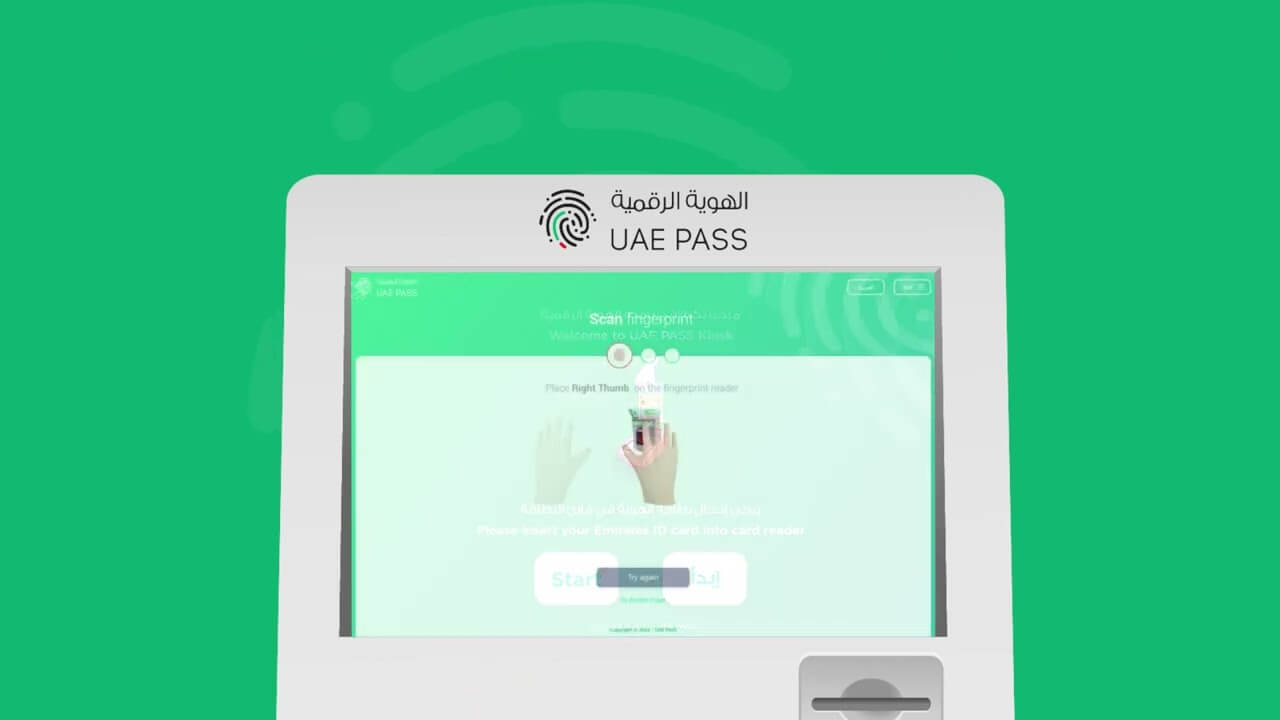
A UAE Pass kiosk is a self-service machine, found in malls, government centers, and service hubs across Dubai and the UAE, that lets residents register for or activate their UAE Pass digital identity by scanning an Emirates ID and completing a fingerprint or facial verification, typically within a few minutes.
Anyone who has tried to pay a Salik top-up, renew an Emirates ID, or sign a tenancy contract online in Dubai has likely bumped into a login screen that demands a UAE Pass. For residents who cannot complete face verification through the mobile app, or who simply prefer an in-person process, the UAE Pass kiosk is the fastest route to a fully activated account. These self-service machines are placed strategically in malls, government centers, and business hubs across the UAE to make identity verification faster and paperless. This guide walks through what a UAE Pass kiosk does, where to find one in Dubai, and exactly how to use it step by step.
What Is UAE Pass, and Why Does the Kiosk Matter?
UAE Pass is the country’s national digital identity and digital signature platform. Launched in 2018, it is a joint initiative between Digital Dubai, the Telecommunications and Digital Government Regulatory Authority (TDRA), and the Abu Dhabi Digital Authority, and it replaced the older Dubai ID and UAE SmartPass systems entirely. Since the Dubai ID/SmartPass system was phased out in December 2020, UAE Pass has become the single login for government services in the emirate.
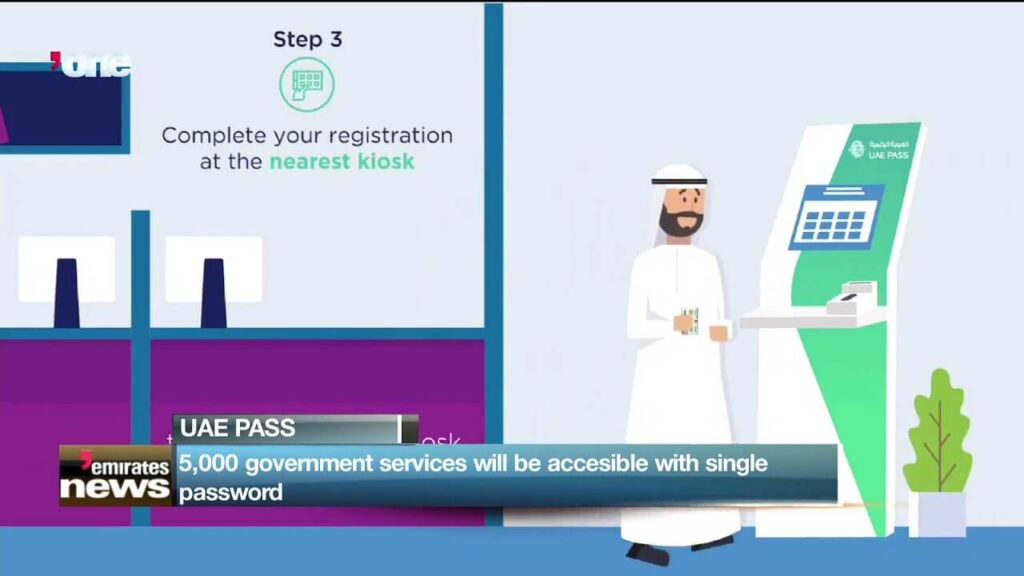
A verified UAE Pass account gives a resident one login for thousands of government and private-sector portals, plus a legally recognized digital signature for contracts, banking forms, and official documents. The account connects to more than 6,000 services, covering everyday tasks such as paying DEWA and Etihad Water and Electricity bills.
The catch is that a brand-new UAE Pass account starts out unverified. To unlock the full range of services — not just a basic login — the account has to be upgraded to “verified” status through biometric confirmation. That confirmation happens either through facial recognition inside the mobile app, or in person at a kiosk. For residents whose phone camera struggles with face match, whose Emirates ID needs a fresh scan, or who simply want a human-assisted process, the kiosk remains the most reliable option.
How a UAE Pass Kiosk Works
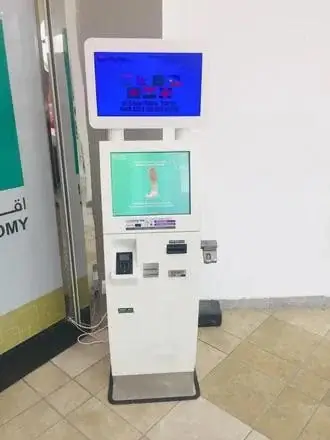
A UAE Pass kiosk is a freestanding self-service terminal equipped with a card reader and a fingerprint scanner. More than 300 of these kiosks are spread across all seven emirates, and Dubai holds the largest share of that network, with machines placed inside government buildings, utility offices, courts, and shopping malls.
Step-by-Step: Registering or Verifying at a Kiosk
- Locate a kiosk near you. The official UAE Pass website has a “Kiosk Locations” feature that shows nearby self-service or assisted kiosks on a map.
- Insert your Emirates ID. Place your Emirates ID into the kiosk’s card reader and follow the on-screen prompts.
- Complete a fingerprint scan. The kiosk requests a fingerprint scan for biometric verification.
- Confirm your personal details. Review the information the system pulls up, including your name, Emirates ID number, and contact details.
- Set a PIN and password. Create a four-digit PIN along with a password to secure the account.
- Finish the registration. Submit your details and the account activates immediately.
The entire process usually takes only a few minutes, and no appointment is needed at most locations. If you are registering for the first time rather than upgrading an existing account, it helps to have already installed the UAE Pass app and started the online portion of registration, since the kiosk step is designed to complete — not replace — that process. The typical flow is to install the app, scan the Emirates ID to start verification, set a PIN, and then visit a kiosk for the physical verification and fingerprint scan that finalizes the account.
Recovering or Upgrading an Existing Account
Kiosks aren’t only for first-time sign-ups. A kiosk can also be used to recover a UAE Pass account by inserting the Emirates ID into the card reader and selecting the “I have an account” option, then following the recovery instructions on screen. Users who already hold a verified SmartPass or Dubai ID account can likewise use a kiosk-style verification path to upgrade into full UAE Pass status.
Where to Find a UAE Pass Kiosk in Dubai
Dubai has the densest kiosk network of any emirate. Locations are typically found inside:
| Category | Example Locations |
|---|---|
| Government service centers | Dubai Courts Headquarters, DED – Dubai Mall branch |
| Utility provider offices | DEWA Main Office, DEWA Al Quoz Sustainable Building, DEWA Umm Al Ramool, DEWA Al Wasl, DEWA Al Hudaiba |
| Shopping malls | DED counters and self-service points inside major malls such as Dubai Mall |
| Police and smart service facilities | Dubai Police Academy (near the Smart Department) |
| Municipality and Emirates ID centers | Local EIDA (Emirates ID Authority) service centers |
Common Dubai kiosk points include the Dubai Courts Headquarters ground-floor public area and the Dubai Economic Department counter inside Dubai Mall, while DEWA maintains kiosks at its main office, its Al Quoz sustainable building, and its Umm Al Ramool, Al Wasl, and Al Hudaiba customer service centers, each positioned near the main reception.
For the most accurate, up-to-date list, always cross-check against the official kiosk locator, since branch openings, temporary closures, and mall renovations shift the network over time. Some locations, such as certain cooperative society branches, have been reported as temporarily closed at various points, which is why relying on a single static list can be risky.
Kiosks Outside Dubai
While this guide focuses on Dubai, UAE Pass kiosks exist in every emirate. In Abu Dhabi, kiosks are available at the Department of Economic Development building on Al Salam Street and at TAMM government service centers, including one in Al Ain. Sharjah hosts kiosks at its Department of Economic Development main entrance, at Awqaf, and at Sharjah City Municipality locations, including its Rent Regulations Department. Residents who split time between emirates, or who work in Dubai but hold an Abu Dhabi or Sharjah residence, can use any kiosk regardless of which emirate issued their Emirates ID.
How to Find the Nearest Kiosk Using the Official Locator
- Go to the official UAE Pass website.
- Open the kiosk locator or “Kiosk Locations” section.
- Select your emirate or city from the dropdown menu.
- Use the embedded map to see pins for nearby kiosks, or scroll the address list on the side of the page.
- Note the building name and floor, since many kiosks sit inside larger government or utility offices rather than as standalone booths.
The kiosk network spans all seven emirates, with machines placed in shopping malls, government buildings, healthcare facilities, and retail centers, so it’s worth checking the locator even in smaller towns rather than assuming a trip to a major city is required.
UAE Pass Kiosk vs. Mobile App Verification
| Factor | Kiosk Verification | Mobile App (Facial Recognition) |
|---|---|---|
| Speed | A few minutes, in person | Can be near-instant if face match succeeds on the first try |
| Best for | First-time registration, face-match failures, lost PIN recovery | Residents who already have a smartphone with a working camera |
| Assistance | Often staffed nearby for help | Self-guided, no human support |
| Requirements | Physical Emirates ID | Emirates ID plus a smartphone with a functioning camera |
| Common use case | Fingerprint-based identity confirmation | Facial recognition-based identity confirmation |
Both paths lead to the same verified UAE Pass account, and the standards of security are identical, since both rely on data matched against Emirates ID records held by the Federal Authority for Identity and Citizenship.
Why Kiosk Usage Has Grown
Digital identity adoption in the UAE has accelerated sharply. Kiosk usage rose by roughly 80% over the past year, and more than 70% of UAE residents now rely on UAE Pass for government services. That growth tracks with the broader push to digitize services across ministries, utilities, and courts, which increasingly require a verified UAE Pass login before a transaction can be completed online at all.
Common Mistakes to Avoid at a UAE Pass Kiosk
- Arriving without the physical Emirates ID. A photo of the ID on a phone will not work in the card reader.
- Skipping the app-based pre-registration. Kiosks complete verification; they don’t always start an account from zero at every location.
- Assuming every branch of a company has a kiosk. DEWA, for example, has kiosks at specific customer service centers, not every substation or payment counter.
- Not checking for temporary closures. Some kiosks are periodically offline for maintenance; a quick call ahead saves a wasted trip.
- Forgetting the PIN immediately after setup. The PIN is required for many future government logins, so it should be stored securely rather than left unrecorded.
Troubleshooting: What to Do If a Kiosk Isn’t Working
If the kiosk system is temporarily down, the standard advice is to wait and return later, or to contact customer support if the problem continues. For account-specific issues, such as repeated PIN lockouts or fingerprint mismatches, the UAE Pass helpdesk can assist by phone or email rather than requiring another kiosk visit.
Future Outlook
The UAE Pass ecosystem continues to expand toward visitor-facing services. A verified visitor identity system is in development so that visitors entering the UAE will eventually be able to confirm their own identity through UAE Pass, unlocking services such as police clearance certificates. As more government and private-sector portals move behind a UAE Pass login wall, kiosk verification is likely to remain the fallback method of choice for anyone who cannot complete facial recognition through the app.
Internal Linking Suggestions
EmiratesBreaking.com could strengthen topical authority around UAE digital government services by linking this guide to and from:
- A dedicated Emirates ID renewal guide, since ID renewal often triggers a UAE Pass re-verification step.
- The existing ILOE Quick Pay / MOHRE fines guide, since both pieces cover UAE government digital payment and identity systems.
- A future “How to Sign Documents Digitally in the UAE” article, expanding on UAE Pass’s digital signature function.
- Area guides for Dubai Mall, Business Bay, and Bur Dubai, since several kiosk locations sit inside or near these existing cluster pages.
- A DEWA bill payment guide, cross-linking from the DEWA kiosk locations mentioned above.
External Authority Sources
- UAE Pass official website (uaepass.ae) – the authoritative kiosk locator and registration portal.
- Telecommunications and Digital Government Regulatory Authority (TDRA) – oversight body for UAE Pass and national digital identity policy.
- Federal Authority for Identity and Citizenship (ICP) – Emirates ID issuance and renewal, which underpins UAE Pass verification.
- Digital Dubai – Dubai-specific digital government initiatives connected to UAE Pass.
- u.ae – the UAE government’s official information portal.
FAQs
1. What is a UAE Pass kiosk?
A UAE Pass kiosk is a self-service machine placed in malls, government offices, and utility service centers that lets users register for or verify a UAE Pass digital identity account using an Emirates ID and a fingerprint scan.
2. Do I need an appointment to use a UAE Pass kiosk?
No. Kiosks operate on a walk-in basis during the operating hours of the building they’re located in.
3. What documents do I need to bring to a UAE Pass kiosk?
Only your physical Emirates ID card. A photo or scanned copy will not work in the card reader.
4. Can I use any kiosk regardless of which emirate issued my Emirates ID?
Yes. UAE Pass is a federal system, so a kiosk in Dubai can verify residents whose ID was issued in any emirate.
5. How long does kiosk verification take?
Typically just a few minutes, assuming the fingerprint scan and ID read succeed on the first attempt.
6. What happens if I forget my UAE Pass PIN?
Visit a kiosk and select the account recovery option, insert your Emirates ID, and follow the on-screen recovery steps.
7. Are UAE Pass kiosks free to use?
Yes, kiosk registration and verification carry no fee.
8. Can visitors to the UAE use a kiosk to get UAE Pass?
Currently, full kiosk verification is designed for Emirates ID holders. Visitors can create a basic UAE Pass account through other identity documents, though full verified status is generally limited to residents and citizens.
9. What if the nearest kiosk is temporarily closed?
Check the official kiosk locator for an alternative branch nearby, since availability can shift with maintenance schedules or building renovations.
10. Can I use a kiosk to upgrade a basic UAE Pass account to a verified one?
Yes, kiosk verification is one of the two main upgrade paths, alongside facial recognition in the mobile app.
11. Is kiosk verification as secure as the mobile app’s facial recognition?
Yes. Both methods verify identity against the same Emirates ID records and result in an equally verified account status.
12. Who do I contact if a kiosk isn’t working properly?
Contact the UAE Pass helpdesk for account issues, or return to the kiosk location later if the problem is a temporary system outage.
Conclusion
For residents who need a reliable, in-person way to activate or verify their national digital identity, the UAE Pass kiosk remains one of the most practical tools available across Dubai and the wider UAE. With machines placed inside familiar locations — from DEWA offices to Dubai Mall — finding one close to home or work is usually just a short trip away. Whether the goal is a first-time registration, a fingerprint-based upgrade, or account recovery after a lost PIN, the kiosk process is quick, free, and backed by the same security standards as the mobile app.

Sara is a UAE-based banking and accounting expert with over 4 years of professional experience in the financial sector. Her expertise spans retail banking, financial reporting, compliance, and practical money management topics relevant to individuals and businesses in the UAE.
She contributes clear, accurate, and well-researched financial content, simplifying complex banking and accounting concepts for everyday readers. Sara’s writing reflects strong industry knowledge, regulatory awareness, and a commitment to financial accuracy and transparency.